Friday, May 2, 2008

OAIster union catalog of digital resources


OAIster (The OAI stands for Open Archives Initiative, which also refers to their metadate collection protocol.) is a search engine that utilizes data harvesting software to find internet resources - specifically to harvest metadate from digital collections all over the world. OAIster, while not directly connected to the Open Access movement, certainly supports similar principles. Currently, OAIster can only access something like 15,622,344 records from 950 separate contributors. While they may not realistically be able to compete with giant for-profit search engines, that as never their ultimate goal, and they're certainly a useful resource.
OAIster as originally the result of a Mellon grant given to the University of Illinois at Urbana - Champagne. The grants as specifically "to establish a broad, generic retrieval service for information about publicly available digital library resources provided by the research library community." Ultimately they've succeeded admirably, making them the best attempt at comprehensive digital reference I've seen, not counting the dubious charms of Wikipedia. Right now OAISter can find not only digitized and digital created texts, but also images, sound, and videos. OAIster's mission is to eliminate dead and useless links and to be a comprehensive academically oriented digital research one stop.
Currently the only problem with this is the software itself. The search functionality will be familiar to anyone who's ever tried to use an online reference library, but typing in a search word or phrase with high numbers of search results will hang the system for minutes at a time, at least on my laptop.
The only other problem I have with OAIster is similarly of execution, not intent. OAIster is very much oriented toward the academic. The problem
is in the gap between free and restricted access materials. OAIster makes no bones about their desire to make public all records regardless to their restriction with in the resource from which they were harvested. They point out in their collection policy that to filter resources usually requires a lot of extra effort on their part, and thus the burden of marking those falls to their contributors, not them.

Thursday, May 1, 2008

Seattle Public LIbrary

The Seattle Public Library home page has a lot going on, but it's clean and neatly organized. I decided to focus on their offerings for teens.

It has the same style layout, but slightly brighter colors. They include a recommended reading list for a teen librarian, and announcements about upcoming events -- the all ages art show (also advertised on the library's home page) and a series of writing workshops for teens.

They also have a teen podcast, created by teens; the SPL has a Teen Center Advisory Board comprised of actual teenagers, who create the podcasts. They have links to subscribe to the podcasts via RSS or through iTunes (or to download them straight from the site), which shows a pretty good grasp of technology.

Through tutor.com, the library offers homework help (just need your library card to use it), as well as offering a list of recommended databases.

They do offer a review form for teens, where they can write reviews of books of up to 750 words and submit them to the site. However, I couldn't find any place to read the reviews submitted. The catalog links to reviews of the book (including Amazon and LibraryThing reviews), which is a really neat resource, but what about reviews by SPL teen users?

The SPL offers extensive reading lists divided into lots of categories (including vampires!), but the divide between "realistic fiction for girls" and "realistic fiction for guys" irritated me. I know that statistically, guys are more interested in reading about other guys, but labeling a book "for girls" isn't going to encourage them to try something new, I don't think. There's no overlap between the lists, but the guy's list does include several female authors (and both lists include some books I really love).

Overall, I think the Seattle Public Library has created a really great teen section, with a lot of relevant and interesting information that would make the library seem like a useful, fun place for teens to go.

Toledo-Lucas County Public Library Children's Catalog

I wanted to look at a kids’ OPAC and settled on the one used by the Toledo-Lucas Public Library in Ohio. The catalog is powered by AquaBrowser Library, a search tool created by Medialab Solutions. Steph talked about some of the benefits of AquaBrowser in one of her posts (4/23/08) and it is an interesting interface I have only recently encountered.


Toledo uses bright colors and graphics to differentiate between its regular OPAC and the one geared toward children, as many public libraries do. I was surprised by the lack of buttons with graphics that are found on most interfaces designed for kids. In fact, while the catalog is appealing at first glance, it lacks oomph and kid appeal. I find the fonts too small and difficult to read for any age level and would have expected more attention to be paid to the usability for the wide age range usually targeted for such specialized OPACs. There are no fun and useful links to popular databases or reference sites, no book lists or links to the main children’s page. In fact, going “Home” takes you back to the main Toledo Public Library page rather than to the Kids Place, an internal library page where you can find all the Homework Help and Events information you would expect to be featured anywhere kids might browse.

It is surprising that the Toledo kids’ main catalog page consists only of a search bar. Such minimalist interfaces are great for, say, Google, but one expects a bit more prompting from a catalog designed around the needs of younger users.

A useful concession to the audience’s tendency to misspell is the availability of suggested spellings found in a word cloud once a query is entered. I looked for E.L Konigsburg, author of such beloved children’s classics as From the Mixed-Up Files of Mrs. Basil E. Frankweiler and The View from Saturday. Hers is a difficult last name to spell and various creative misspellings prompted the suggestion of the correct formation.


Suggested spellings in a similar format are available on the library’s enhanced OPAC for all users, but it is more streamlined, that is, there are fewer false positives producing results, in the children’s version.

A word cloud can also be generated according to a search term’s word associations or suggested interests. I did a search for “orphans” to see what would emerge:


Some of the suggested terms seem immediately useful: one can find books about orphans that are also mysteries or that also concern friendship. “Baudelaire” comes up as well, an allusion to the popular Lemony Snicket series.

The rightmost part of the screen allows for refinement by format (book, audio, etc.), author, subject, series, and language. This is all very useful information that could be arranged more attractively for the intended audience.

In short, the AquaBrowser OPAC, as exemplified in the Toledo children’s catalog, has potential but needs refinement. Stronger graphical elements, easier legibility and navigability and an integration of the catalog with other library offerings would be a step in the right direction.

Facebook, the response, with qualifications

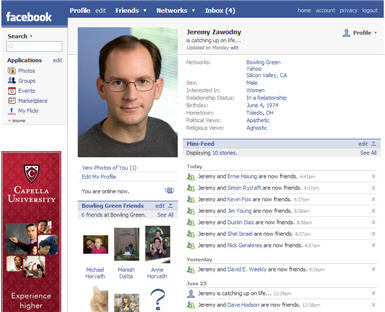
In response to Doug’s great facebook post, I thought I’d hash out some of my ideas on the subject. One of the reasons I like facebook is its superficiality; I get many of the rewards of staying in touch with people, but I have to give little in the way of communication or commitment. It formalizes empty social gestures that I require as a busy, semi-anti-social yet still social animal, and makes them virtual enough to be bearable. Yes—the ultra poke features can be annoying, but the fact that there is a fun and creative way to say “hi” without actually engaging or inconveniencing someone is something I cherish. Also, facebook has done wonders for dating. Too shy or cowardly to send a message? Facebook, because it’s full of slight communicative gestures that teeter on meaning nothing, supplies us with tiny bits of romantic currency (small tokens of affection) for those who fear anteing up too soon or at all. Befriend, poke, tag your crush in a picture--all are safe measures that don't reveal your intentions.


But while facebook is great at letting us stay friends with people we barely want to be friendly with, it is terrible at distinguishing between types of friends. Of course, broadcasting friend “levels” to the parties involved would be absurd and even hurtful, but letting the user set what information (profile lists, party RSVPS, relationship status) goes out to what types of friends—with those recipients being none the wiser—seems like a route facebook should go in the future. One-size (or in this case, two: public and private profiles) fits-all-profiles are sadly limited. For example, I want my boss as a friend, but not the kind of friend who gets to see my weekend pictures.

For such a feature to be useful, though, I guess it would have to be semi-automated or initiated by system generated defaults That is, would users even know what bins of friends to create? Would they bother sorting through all of them? Maybe it could start as a “these 6 people are my “work” friends, so they should never see my pictures” kind of deal. Or facebook could guess, and the user could approve? I’m sure some people are thinking that an outside application could do this, but that can’t be the case, for it would have to utilize too much extant garden (if Doug’s walled-in garden metaphor is still apt) functionality, such as security settings--stuff which wouldnt be opened up to a developer.


But back to public personas--as you mention in your discussion of list-making, the way in which you choose to represent yourself is quite important. Even our unintentional signals connect us in interesting ways. Such as an ironic misspelling of a movie title linking two sarcastic types ( I actually can't think of an example here). Indeed, the social utility of facebook might decrease if it gave users much choice in the matter. But more on the topic of list-making. The lists can be interesting, if really pretentious, but they obviously lack any authority file of sorts: if enough users wrote “brothers Karamazov” in their profiles, why can’t one of those involuntary pull down tabs emerge to tells users what everyone else put in their profile (brothers mcmullen, o brother where art thou) or at least to tell them how to spell it right?

UCSB's Cylinder Preservation and Digitization Project

In addition to its soon-to-be-unveiled Victor Project (an online discographical database of pre-1950 Victor and RCA label recordings with audio samples, digital images, and advanced search functionality), the University of California at Santa Barbara’s Department of Special Collections has launched some really fabulous online projects with its audio collections in recent years.

First and foremost is the Cylinder Preservation and Digitization Project, a digital collection of nearly 8,000 cylinder recordings. (First mass-produced in the mid-1880s and manufactured well into the 1920s, wax cylinders are the earliest commercial sound recordings.)

The project began in January 2002 as a pilot program for digitizing and creating access to the department’s cylinder recording collection. Its scope was expanded with a major IMLS grant in 2005, and, in 2006 (I believe) it went online. Cylinders continue to be added incrementally as they are digitized. All are freely downloadable or streamable online.

The collection of spoken and musical selections is searchable by keyword, author, title, year, subject, and UCSB Call Number. However, unless one has a knowledge of obscure 19th century wax recordings, the site’s browse feature is perhaps more useful to the researcher, music fan, or cultural historian. The collection is browseable by Ethnic or Foreign Cylinder, Instrument, Topical Subject, and Genre.

For instance, browsing by “banjo” (under instruments) returns a list of 92 such examples from the Department’s collection. Clicking on Vess L. Ossman’s “Cloud Chief,” takes the user to a catalog record where one can listen to (and download) a particular selection as either an MP3 (digitally restored) or a wav (not restored).

The site's overall functionality isn’t necessarily that sophisticated. It works clearly and effectively, however, unencumbered with unnecessary linkage.

Interestingly, there is something of a disclaimer on the site about copyright, one of audio archiving’s traditional albatrosses. The disclaimer concludes only that there is still a great deal of ambiguity, if not tenuousness, in the initiative’s legal clearance:

“All Edison cylinders are presumed to be in the public domain as the assets of Edison Records were transferred to the National Park Service, a federal agency. Other American sound recordings made prior 1972 may or may not be protected by state laws or common-law copyright… The nature of the various state laws and differing interpretations of these laws in state courts means that the legal status of many early recordings is unclear.”

Regardless, the transfers are licensed for public use under a Creative Commons Attribution-Noncommercial 2.5 License, and users are encouraged to redistribute, reissue, mash-up, or re-mix the transfers.

All catalog records are searchable through the website, as well as through the UCSB Library catalog and the University of California system-wide catalog. The site also has streaming radio programs of its collections and a "featured cylinder" section showcasing some of the most interesting items in the collection.

This is one of the most innovative online projects initiated by an audio archiving institution. To be fair, there aren’t many such projects involving commercial recordings afoot; they tend to be hampered by a lack of funding and, moreover, by restrictive and complicated copyright law.

Wednesday, April 30, 2008

Johnson County Library

http://www.jocolibrary.org/


For my final blog entry, I am reviewing the Johnson County Library’s (JoCo Library) website and OPAC. and comparing it to that of another library whose site I have reviewed, the Hennepin County Library. This library’s online presence is particularly interesting and rivals the Hennepin County Library’s as the best I have seen. I actually like the look of the Johnson County Library’s website better since it has a cleaner, less cluttered look, at least on the homepage. JoCo Library’s homepage has a search box with a drop down menu of options for accessing the library’s OPAC, a “How do I…” drop down menu of activities, and an innovative section of library news represented by pictures that expand when you click on them to reveal more information.

One of the library’s most interesting features, like that of the Hennepin County Library, is the Find a Good Book feature. This section of the site offers a number of tools to help patrons find interesting books to read. One of these tools is a collection of reading lists on several topics. Unfortunately, these lists are very narrowly defined and it seems that only a few topics and genres are covered, particularly for nonfiction books. Library patrons can utilize the NoveList database, which evidently allows users to sort through books by plot, series, author, and more (I cannot tell for sure all the features NoveList offers since one needs to be a member of the library to log in to the system). Library patrons can also write reviews for books they have read. Other features include New York Times bestseller lists, Oprah’s Book Club, mock awards, featured author and genres, and Kansas notable books. Overall, the JoCo Library’s Find a Good Book section is not as well-developed as the Hennepin County Library’s, which is more innovative and has more means for patrons to participate, but is nonetheless an excellent library feature.

JoCo Library’s research section is laid out nicely and offers several interesting features. Although on closer inspection it has fewer subjects to research than the Hennepin County Library offers, it is better organized and more pleasing to my eye. In any case, the JoCo Library’s research section offers a lot of useful features for researching a variety of topics. JoCo Library also has special websites for business, family, health, kids, teens, and history.

JoCo Library’s OPAC, seems to be serviceable. One of the more interesting features is that the records for some holdings offer “A Look Inside” which provides a summary of the work and an excerpt. The search functionality of this OPAC, like all other OPACS I have tried out for my blog entries, leaves something to be desired. Once again, keyword and even title searches for Catch-22 and Dr. Strangelove do not return the famous book and movie at the top of the list of results. I guess at least I can take solace in the fact that this time they were on the first page of results.

Overall, the Johnson County Library, like the Hennepin County Library, has a strong online presence. I like the general design of the JoCo Library’s website better than that of the Hennepin County Library’s. On the other hand, the Hennepin County Library offers more features for finding good books and letting patrons participate. All told though, both of these libraries have websites that are likely the envy of public libraries, at least across the U.S.

LibraryFind. yet another Open Source tool


While surfing for some interesting OPAC’s, or open source catalog enhancements, I came across a blog that mentioned LibraryFind. LibraryFind is the open source Meta-Search tool developed by the Oregon State Libraries to help their users find the information they want in a more timely fashion. On their about page they highlight the following goals of their project.

FASTER

Always working to set the federated search speed record

BETTER

Open source - extensible, extendable, understandable

EASIER

Two clicks - one click to find, one click to get.

I don’t feel qualified to really comment on the first one, though I was impressed with the speed of their results, and I’m already a convert to the second one, so I’ll focus on the third.

It has always driven me a bit crazy having to have several windows or tabs open in browsers, while jumping from database to database to opac, in trying to help find relevant articles and books for undergraduate researchers. Then, having to try and explain all the different search styles for each resource, and wasting their time in teaching them that. The LibraryFind search tool is clean and simple. Essentially what it does is it interfaces with their opac as well as their journal databases and presents the results. One can then sort the results by relevance or date. Both journal articles and books are presented in the results, and one just has to click on the record for the article to be able to retrieve it. This one stop shopping feature is extremely appealing to me. No more getting lost in the jumping from window to window. I also like the fact that it will often give a brief description of the article as part of the record.

I realize that there are other meta search packages available, but since this one is open source, I will be rooting for it. According to several blogs, it appears that the University of Houston will be/ or is beta testing LibraryFind. The appeal of open source besides being free, is that everybody is posting on how they got LibraryFind to interface with their various opacs and journal databases. Not having to rely on a vendor and their support team can make this an extremely attractive option for smaller libraries and poorer ones. Also, as more and more libraries take on these packages, it will require less work and allow for possibly greater sharing of certain resources making everybody, except certain vendors, a winner.

Finally, it does appear that it needs some work, but that may be due more to the resources that Oregon State has access to than the actual interface. I did a quick search on Residential Segregation, in both Google Scholar and in LibraryFind, and was able to find many more articles, including all the classic ones, in Google Scholar. Still, I think I prefer the layout and ease of use of LibraryFind, and hope that it catches on with more libraries.

SOPAC and Virtual Community Building

With Library 2.0 on the horizon, all sorts of new (or perhaps recycled) concepts for OPAC development have come to the fore, and visions abound of user-generated metadata and patron input available to everyone. But it seems that the library community is merely reacting to the trends already more fully developed through the rest of the web (Web 2.0, anyone). Why aren't libraries innovating web technologies to suit their institutions? Why does there seem to be no vision of what an online library presence should look and feel like? Many focus on improving an OPACs look and feel, but to what end?

SOPACs, or Social OPACs, I think are the first step towards bridging the gap between a reactionary online library culture and a more integrative and unified sense of libraries' place on the web. The Ann Arbor District Library (which has been mentioned several times on this blog) is one example of this sort of initiative. It allows for user-generated tags and reviews in the OPAC itself, as well as a rating system. Though these features may be just more of the same Lib 2.0 technology, the important idea here is the theoretical construct of a social online space associated with libraries. This lends itself to more complex and extensive ideas of building online library communities, locally based, and fully participatory. At present, even with Web 2.0 folksonomies and tagging, users are primarily interacting with the interface, the machine, and not with other users. Physical library branches have traditionally been a place to build local communities of patrons, encouraging patron interaction not only with the collections but also with other patrons. That sort of localized community is nonexistent online in relation to libraries. Instead, forums like Facebook and LibraryThing have risen to bind people more directly together.

The library community seems to have been going through an identity crisis since the advent of the web, and perhaps in the confusion have bypassed an opportunity to make their mark in the online world. But they may be able to revitalize themselves and their sense of purpose by reminding themselves that libraries serve a social function: they are at heart community building institutions (in fact, that is one of the things that separates them from archives). Now that community-building simply needs to be translated to an online space.


The National Archives of the United Kingdom is the "UK government's official archive containing 900 years of history with records ranging from parchment and paper scrolls through to digital files and archived websites." Open records are accessible to all, onsite or online. The National Archives also offers guidance and support to government departments and public sector regarding information policy and management.

The Archives main page is attractively designed, broken up into boxes and sections, and incorporates a comprehensive amount of information without appearing cluttered. Highlights of the main page include a keyword search box, links to podcasts and newsletters, recent news from the Archives, featured online exhibitions, professional information management, information on family history (genealogy) military history, and learning and research. RSS feeds are available for various aspects of the site.

Aside from the keyword search box, The Learning & Research section is how one would access the Archives's catalog. The catalog "contains 10.7 million searchable descriptions of records from central government, courts of law and other UK national bodies." The records (and their descriptions) are organized under the different government departments that originated them. The catalog, however, does not contain images of the documents; in order to access a document, one must visit the archives or request copies of the document for a fee.

Basic search includes a mandatory keyword field and optional date range and department/series code fields. One can also separately search through the "places, prominent people & subjects" tab which offers an A-Z list of index terms that one can search or browse; one can then go back to the main search and type in the relevant index term. It is worth noting that subject index terms have not been added to the catalog since April 2007 (this is indicated on the page). Advanced search offers a multitude of searching delimiters that allows one to search specific data fields in a catalog record. Finally, one can also build a query, which allows one to search any of the data fields available in the catalog, make use of multiple criteria and boolean operators, and select fields more than once to search for ranges of data.

I appreciated that each search option offers an inset of basic searching tips without having to navigate to another page. Also, the catalog offers links to many research guides for specific departments for those who many unsure from which department a particular originated. The Archives seems to offer a great deal of information, but it appears that the catalog at least is most useful who have somewhat of an idea of what they are looking for. The size and scope of the Archives makes browsing and searching difficult if you just happen to stumble upon it and want to explore; despite its comprehensiveness, it's a little overwhelming.

Among the other databases used by the Archives include, but are not limited to, the following: Access to Archives (A2A), which contains catalogues describing archives held throughout England and dating from the 900s to the present day; Documents Online, which is intended for family, local historians, acedemics, and schools (images of documents available to download for a fee); Electronic Records Online, which offers online access to born digital records (images of documents available to download for free); Reference Library Catalog; UK Government Web Archive, in which one can browse through government based websites under a number of categories, and The National Register of Archives, which contains information on British manuscripts and historical records. Though the majority of the records are accessible in person or can be requested, there is a good number of records that are accessible online.

I think the site does a good job of trying to lead people to the right database they want to go to in order to find something. The availability of so many options is great, but ultimately useless if people don't know how to access materials. I mentioned the research guides above, but the "how to" features are just as helpful in trying to ensure that people find what they want. Though this is the the UK's Natioanl Archives, I'd classify it more as a " records and archives" institution, given that there is a strong records management component to the site. Also, the site offered a lot of insight and transparency into its operations, specifically in terms of making accessible their strategic planning, administrative, management, and preservation policies, annual report, and digitization initiatives. Overall, I mostly just enjoyed clicking through the site, trying to get a handle on their catalog and discovering what sorts of records and documents were available to view. Also, it was particularly interesting to see how a country with far more history than the US handles all of those records and archives.

Monday, April 28, 2008

Local Libraries - Sandusky, Ohio


I have been interested in how small, local libraries are using the latest online services in their communities and patrons. So, I took a look at my Ohio hometown library's website where I have personal experience both recently and pre-WWW. Sandusky, Ohio, is a town of about 25,000 people and the library is a historic Carnegie building built in 1901. As noted on the library's website, it is one of Ohio's three oldest Carnegie library buildings. Given the age of the library, I was especially interested in seeing how far they have progressed.

The library's website <http://www.sandusky.lib.oh.us/> has a contemporary design with a top navigation bar for access to services and information. The designers of the page appear to have taken into account what the public would most want easily accessible. On the left frame of the page are two large buttons; one for searching the online catalog (of which I will talk about below), and the other for renewing materials. There is also a link to an online question form which one can direct to a particular department within the library. Below the question button are listed library hours. At the bottom of the page are links to .pdf files of current and the upcoming month's calendars of events. All of these features allow quick access to the service or information most patrons would want or need.

Online account management and catalog searching are made possible through participation in the Clevnet Consortium. Clevnet is a network began in the 1980's by the Cleveland Public Library to share their automation systems. The consortium now includes 30 library systems in Northern Ohio, including the Sandusky Library. Unlike many nearby libraries, it is arguable that Sandusky would have developed their own system by now because community support of the library has been relatively strong. But taking advantage of the existing Clevnet allows this library, and many smaller, less-funded public libraries to offer online services to their patrons and put any other funds to stacking their shelves. For some smaller libraries, such as in Clyde, Ohio <http://clydelibrary.org/> (another Carnegie library about 20 miles and, incidentally, the inspiration for Sherwood Anderson's Winesburg, Ohio), consortia such as Clevnet are the only way they can provide online services.

The online catalog is simple in design and use, and seems to allow plenty of options for customizing searches. Users cans search by keyword or the standard title, subject, author. The keyword search defaults to the location of the originating library system, but can be changed to any or all of the library systems in the consortium. Other customizable fields allow users to search by age group, or date of publication. Links are available to search by ISBN and using advance (essentially, multiple keywords) searches. Results include book cover images, where available, and tabs for full MARC records. One can also click on the availability link to see what libraries in the consortium have the book and its status. The bottom line is that the OPAC provides a thoroughly modern service for both large urban libraries in the consortium, and the smaller outlying systems.

Finally, one other feature of the Sandusky Library website caught my attention while exploring. The library operates two blogs: one by the library's Reference Services and the other by the Archives Research Center. Neither blog seems to have heavy traffic at this time, but I think allowing them to be linked from the library's main page shows openness on the part of the administration for new technology. The Reference Desk <http://sanduskyref.blogspot.com/> seems to focus on library-related issues, including an interesting post from February on "Tagging and Tagcrowd."


As a preservation admin student, I was particularly interested in second blog, Sandusky History <http://sanduskyhistory.blogspot.com/>, which pulls from the library's own archives for content. In fact, it turns out that this library has a very well-equipped, climate-controlled storage facility for their archives, which was constructed during a recent renovation that expanded the library to an adjacent Civil War era jail building. It includes all types of manuscripts, photos, newspapers, and other materials. This use of contemporary online tools, like blogs, to put library patrons in touch with a community's history is nice to see from the perspective of a student of information science. All of these tools, and more, that the Sandusky Library is using are important for small local libraries, usually lacking resources, training, and staff, to keep up in a quick changing field.

New trends in OPACs – a comparison of add-ons, enhancements, and new designs: Part II


New trends in OPACs – a comparison of add-ons, enhancements, and new designs: Part II

a. Last week I looked at Aquabrowser, Encore, and Primo as Web replacemtents for OPACs. This week I wanted to continue the comparison and look at two that I hadn’t heard a lot about up until my recent discovery of them on http://dltj.org/article/niso-discovery-presentation-links/#comment-33084. The two websites I will look at for both are the originating sites, as their demo sites are under construction and are not fully functional yet. Blacklight’s is: http://blacklight.rubyforge.org/, and VuFind’s is: http://vufind.org/.

b. User’s needs: legibility, clarity, understandability, and navigability; language of users in search function(s); unique and different needs of users, including those with special needs AND Importance of content and arrangement of records to finding, identifying, selecting, and obtaining items: display what is asked for in a meaningful way, not random; navigation correlates to displayed information in a logical way.

i. Blacklight is an open source OPAC (online public access catalog). That means libraries (or anyone else) can use it to allow people to search and browse their collections online. Blacklight uses Solr, an open source enterprise search server based on the Lucene Java search library, with XML/HTTP and JSON APIs, hit highlighting, faceted search, caching, replication, and a web administration interface. It runs in a Java servlet container such as Tomcat. It uses Solr to index, and Ruby on Rails on the front end, an open-source web framework that’s optimized for programmer happiness and sustainable productivity. Currently, Blacklight can index, search, and provide faceted browsing for MaRC records and several kinds of XML documents, including TEI, EAD, and GDMS. Blacklight was developed at the University of Virginia Library and is made public under an Apache 2.0 license.

ii. Blacklight is a research project sponsored by the University of Virgnia Library. It looks as though you can do a regular search, a music search, or a “semester at sea” search. (?) A simple search brought up simple, correlated results.

iii. VuFind is a library resource portal designed and developed for libraries by libraries. The goal of VuFind is to enable your users to search and browse through all of a library's resources by replacing the traditional OPAC to include Catalog Records, Locally Cached Journals, Digital Library Items, Institutional Repository, Institutional Bibliography, Other Library Collections and Resources. VuFind is completely modular so you can implement just the basic system, or all of the components. And since it's open source, you can modify the modules to best fit your need or you can add new modules to extend your resource offerings.

iv. It seems that VuFind offers more search result options, but this could be because it is further along in its research. You can search with faceted results, allowing for the user to search from a basic search box and then to be able to narrow down the results by clicking on the various facets of the results; or you can browse for resources, in which the user has the ability to browse the catalog allowing them to explore what the library has rather than only being able to see a very narrow spectrum of results. When viewing a record, the user will be offered suggestions in the form of “More like this” suggestions of resources that are similar to the current resource. The search results page is able to display the live status of a record through the use of AJAX by querying the catalog at that exact moment. And since it is done through AJAX after the results have loaded, the page will not slow down.

v. With VuFind, the user can learn more about the author through author bibliographies and see all of the books that they have written in the library. Persistent URLs allow the user to bookmark their queries or records to allow permanent access to a page they were once on. Users can save and tag any records with Zotero or any other COinS based application so they can store their records in one place. The user has the ability to save the resources from both the search results page and from the record view page to their own customizable lists. The lists can be retrieved at any time and will always be there for the user. This helps to eliminate the need for desktop based citation management software that tends to be too difficult for basic users.

vi. If I was choosing between VuFind and Blacklight based on the information given to me and the search results success, I would choose VuFind.

c. The requirement to follow accepted international standards for information content and structure:

i. With VuFind, the library can share their records with other institutions via the OAI Repository that is built in and the interface has translations available in English, French, Japanese, Chinese and Brazilian Portuguese with more to come.

ii. Although Blacklight didn’t offer up as much information on this end as VuFind, one could argue that it is following the global open source/open access and creative commons movement, epitomized by this year’s iSummit in Sapporo City, Japan.

Los Angeles Public Library


The Los Angeles Public Library (LAPL) has excellent resources for a diverse user population. The homepage has an option to browse the catalog. When clicked several options become available including changing the language to Spanish or Japanese, performing an advanced search, or searching the library periodicals. In addition to the catalog options, the library also provides helpful links on the same page such as Hot Titles, e-Media, eBooks, Online Book Clubs, and Resources to find online full text works.


The Online Book Clubs is an interesting service provided by LAPL. All a patron has to do is sign up with his/her email address and choose the genre of interest. The book club is set up to email a five minute selection from a chapter on a daily basis, and each week a new book is started. This seems like a good way to get patrons interested in a new book but of course, would require the patron to go out and find the full text elsewhere.

Resources to find online full texts is another option worth mentioning. Here there are useful links to help patrons in their search for materials. The link provides several lists of links that could be very useful to patrons. This includes not only links to online full texts but also links to online criticism, book reviews, poetry, famous quotes, and more.

LAPL also provides separate links for their Kid and Teen patrons. The Kid’s Path seemed very kid friendly with lots of color, pictures, and animations. The Kid’s Path has a section called ebooks for ekids; the link is for the TumbleBook Library. The TumbleBook Library is a great resource for children. It provides audio books, read alongs that highlight the text as it is being read, games related to the stories, and language learning books (which expose children to other languages in written or audio formats). The Kid’s Path also provides its youth with access to Live Homework Help from 1-10pm everyday which can be accessed from LAPLs’ computers or from home with a LAPL library card. There are also a few selected websites to aid students with particular subjects. The final thing worth noting in the Kid’s Path is the Kid’s Catalog. The Kid’s Catalog makes it very easy for children to browse; it provides a system that allows children to click on some of the most typical subjects, authors, series, famous people, or types of books.


Another major option LAPL provides is a section for Adult Literacy Services. This service provides many options and information for adults who are seeking literacy assistance. One of the literacy services that the library provides is a Learn Online option. Two of the three learning services, Plato (A self-paced learning course for subjects from math and reading to writing and social studies) and LearnATest.com (Improve your scores on job skill exams), are provided free to LAPL library card holders.

Finally, it is worth mentioning LAPL’s Ask a Librarian section. There are roughly five options that a patron can use to get help from the library. These include visiting a branch, calling or faxing infoNow, AskNow a 24/7 phone service, emailing an information request, and/or instant messaging.

Some other things I looked at and found interesting was the historic photo collection available for all to browse, the Espanol link, the numerous databases, podcasts, and a pay it online service.

Overall, the Los Angeles Public Library has created a website meant to accommodate a diverse patronage, and in my opinion, they have succeed in a accommodating more groups than most public libraries.

Sunday, April 27, 2008

Austin, TX Public Library


It only seems fitting that one of us review the Austin city library's web services, so I guess it'll be me. Austin's library web includes all the things that are standard on every public library's web page thus far: an OPAC, a variety of community centered links, youth pages, "ask a librarian," research tools, and a blog, right here on blogspot. The Blog is surprisingly good actually, and it's fascinating how many service oraganizations can lay claim to the library - the friends of the library, the mayor's book club, etc. etc. Most interesting to me however is the new immigrant services link, at least some of which is in Spanish.
It shows an interesting commitment to community that I really appreciate from my "home town library."
Other parts of the library's site are more dissatisfying. The Ask a Librarian feature reveals that asking a librarian is best accomplished by email, since their chat feature only functions at very specific and limited times. The site design makes it a little difficult to judge what exactly some features are designed to do and where certain links will take you.
The OPAC however, really shines. It contains a comprehensive search of all the libraries in the system, of course, and allows you to sort results conveniently by branch. You can, if you have a library card, place holds and request books from interlibrary loan, or even, I think, for future buying. It also contains a delightful book recommendation system, that links not only to librarian reviews, but also to a variety of free, outside sources for book reviews. Sadly, no patron review system yet. I dream of the day when local libraries ill band together to allow patron control in the manner that profit run sites do, and have user posted reviews and settings.
I may be biased - I like Austin Libraries, I wait with baited breath for their new downtown facility, and I have used the library's site to my advantage before. The bulletins are updated regularly enough to satisfy my desire to find out when events might be happening. But I find ultimately that by comparison to some of the other metropolitan Libraries, Austin could do more to put themselves accessibly online.

The Archival Research Catalog

The Archival Research Catalog (ARC) is the National Archives online finding aid resource. Rather than using XML to markup finding aids (such as EAD) the National Archives chose to create a database for descriptions of all their holdings. Currently 58% of the National Archives holdings are described in ARC and more descriptions are added every two weeks.

The ARC home page contains a keyword search box, and links for more advanced searching options.The basic search function performs a keyword search across all the holdings, and displays the results at the series level.The method of display leads to confusion. As an example, I searched for “Democratic National Committee” (knowing that I entered a description for the records of the DNC a few weeks ago). As you can see from the image, the first two hits are “Organizational, Research, and Campaign Records” and “1960-campaign.” Of these two results, one is for records created by the DNC and the other is the congressional papers of John F. Kennedy. For a user to know this he or she has to look to the fifth line “Level of Description” – which is not very intuitive.

One would assume that clicking on the “Show Hierarchy” button would expand the listed results and place them in the context of the hierarchy. However, this is not the case. Clicking this button takes one to a new page with collection level descriptions in a different order. For instance, when I clicked this button the first listing was not for the parent collection of the “Organizational, Research, and Campaign Records” series, rather it was for the records of the district courts – something that has little to do with my search topic.

The site’s goal is to provide the public with access to the descriptions of records held at the National Archives. This demands that search and retrieval be intuitive, easy, and efficient. Currently, ARC requires some knowledge of what one is looking for, and for the user to be reasonably well versed in archival description. Most people searching ARC have used search engines like Google before, and most likely expect a listing with a brief description of the contents. Making the site more useable would be rather easy, results could be displayed as “Collection Title -- “Series Title” – “Beginning of scope and content note.” Items such as “ARC Identifier”, “Type of Records”, and “Level of Description” could be displayed only after someone clicked on a description. Simple reorganization and revamping would allow users to more easily find what they are looking for, and presenting the results within the context of the hierarchy rather than just at the series level would be a place to start.

Saturday, April 26, 2008

Review: The Canadian Genealogy Centre, Library and Archives Canada

Genealogy research is, for many, much more than a casual pastime. The pursuit of information about one’s ancestors continues to be made easier as more and more institutions digitize and make searchable their records on vital statistics (births, deaths, marriages), immigration, and landtitles. For this blog entry I decided to take a look at one of my home country’s foremost websites for genealogy researchers, the Canadian Genealogy Centre. The webpage is hosted by Library and Archives Canada/Bibliotheque et Archives Canada, the governmental body dedicated to the preservation of “Canada’s documentary heritage.”

The CGC’s biggest challenge is to meet the needs of seasoned and naive users alike, and its website is reflective of the difficulty inherent in this. The homepage of the CGC bombards the user with too much information. While helpful links to the site’s “Most Requested Records” and a “How to Begin” page occupy a prominent place on the homepage, many of the links are repeated across the menu bar at the top, leaving the user to wonder if both links lead to the same page, or if one is missing out on critical information by not testing both. Furthermore, because the site is in large part structured around the services provided on-site at the CGC, there is no online assistance available - not even an email address to which one can send reference questions. In fact, the “Ask a Question” link directs users back to the “How to Begin” page, and encourages questions to be submitted via the post and over the phone.
Searching the online databases for ancestors is made relatively simple through the inclusion of an “Ancestors Search” on the site’s homepage, which searches combined genealogical databases - including vital statistics, census, immigration and citizenship, military, land, and employment records. Each type of record can be searched individually, as well; each type of records has a subsidiary page offers users resources appropriate to, for example, military research, including bibliography, terminology, and external links. A wealth of information is available through the broad-coverage “Ancestors Search”; when I enter my own last name, each individual who shares it is listed along with the occurrences of his name in, for example, Land Grants or Immigration Records. From there, I can navigate to a record that tells me where the information is found (digitally and physically in the archives), which is useful for requesting copies of the documentation from the CGC.

Overall, while I find the search capabilities of the CGC to be impressive, I think that their service has a long way to go. Apart from the aforementioned issue of misdirection, there is currently no way for the site to recognize returning users, like offering a protected login and a personal account where searches could be stored. For an organization dedicated to record-keeping, this seems a gross oversight.

International Children's Digital Library

For my last blog entry, I decided to explore the International Children’s Digital Library Web site. I attended the iForum presented by Dr. Ann Carlson Weeks about the project a few weeks ago, which was the first I had heard about it.  I wanted to use this site for my blog because, not only is it a great example of an OPAC, but it also addresses some of the big issues we’ve discussed in class.

But first, some background.  The International Children’s Digital Library project was started at the University of Maryland in 2002 and is funded by both the National Science Foundation and IMLS, the latter for the library aspect of the project and the former for the technological aspects.  The Web site is still a research project, and so does not have a strong PR campaign yet, though it is being used widely across the world.

The mission of the site, as explained by Dr. Weeks in her presentation, is to provide free online access to the best of contemporary and historical children’s literature from around the world and to promote tolerance and understanding through these books.  So far, the Web site has 2500 digitized books in 42 languages, representing 50 countries.  The site’s interface is in 14 languages, and it only provides access to books that are already published.  The project offers no new translations at the moment or any downloads of books or printing services.

The OPAC is really interesting because it was designed by a research team that actually included children.  They helped design the look of the OPAC and the search parameters.  I thought it was absolutely perfect that children were consulted in this project because I imagine the site would look very different without their input and be much less helpful to them. Dr. Weeks explained how the children specified that they wanted to be able to search by real versus make-believe books, the age group for which the book is intended, the color of the cover of the book, and the book’s length.  I don’t think I, or many adults, would have necessarily thought of these specific criteria, and I was very interested in hearing what the children wanted in their searching function.

I spent a good deal of time exploring the OPAC myself and found that it was very conducive to browsing, but much harder to search for a specific book.  There are many other criteria (besides the ones mentioned above) by which the reader can browse, including, but not limited to, Kid Characters, Imaginary Animal Characters, Rating, Happy or Sad, Comic Books, language/country of story, and genre of story.  There is also a Search by Keyword box on the Simple Search page, but it’s only under the Advanced Search tab (very small and on the bottom of the Search page, it doesn’t really seem intended to be used by children) that one can search more specifically.  But even searching here takes the form of limiting the search according to one or more of the criteria above, plus a keyword.  For example, on the Advanced Search page, a reader can search for all books with the keyword “dog” that have a red cover, are for ages 6-9, and are from Sweden.  On the Simple Search page, one can only search by one of these criteria, not a combination.  As far as I can tell, there is no way to search specifically by title and author on the site at all, though there is a full list of titles and another of authors and illustrators.

While this can seem frustrating and annoying to me, and potentially to other adults, the fact that children were consulted for the design of the OPAC assuages most of these feelings.  Though adults are welcome to use this library, children are the primary intended audience.  If they don’t want to search by author and title, that should not be a predominant searching method.  It is much more important for the site to meet children’s needs than adults, so I can live with this otherwise-annoying feature of the OPAC.

The rest of the Web site is kind of massive and overwhelming.  It almost seems like there should be two sites—one with the books for the kids, and another with all the “about” information for the grown-ups.  There is information about the foundation, such as its mission, sponsors, and board of advisors.  There are also lists of resources for authors and illustrators, librarians, translators, and readers.  The site provides ways for the reader to create an account, contribute to the project, or even purchase merchandise from the gift shop (no books).  I did not spend as much time on these aspects of the site as I did on the OPAC, however, because I thought the OPAC was the more interesting and pertinent aspect of the project.

More than any other blog I’ve done, I think, this one relates to some of the big discussions we’ve had in class.  It was the most particularly challenging to me personally because it brought up the persistent question of print versus electronic material.  I think everyone knows where I fall in that debate, but, despite that, I am not completely anti-technology, obviously.  To be honest, though, I wasn’t so sure about this whole idea of the ICDL at the first. However, by the end of Dr. Weeks’ presentation, and having thought about it independently, I really think I can get behind this project.  There are many aspects of it that I like, such as the fact that it’s free and open to everyone, with no profit in mind whatsoever.  It also tries to keep the digital book as close to the print book as possible, such as having books in Arabic read from right to left.  Most importantly, Dr. Weeks said flat-out that she didn’t want to compete with print.  She said this several times and that, instead, this site was all about providing access to materials that would otherwise be inaccessible. In the end, the project all comes down to providing access to books that wouldn’t have been accessible otherwise.  She just wants kids to be able to read whatever they want.  And if that doesn’t spell library, I don’t know what does.

Friday, April 25, 2008

MoMA's DADABASE

New York City’s Museum of Modern Art (MoMA), in addition to its modern art and soaring admission prices, also houses an archive and library. The MoMA library, known simply as The Museum Library, is a collection devoted to modern and contemporary art, and documents the “painting, sculpture, drawings, prints, photography, architecture, design, performance, video, film, and emerging art forms from 1880 to the present.” Its holdings include approximately 300,000 books and exhibition catalogues, 300 periodical subscriptions, and over 40,000 vertical files of announcements and ephemera about individual artists. If the pictures are to be believed, this collection additionally resides in gleaming white 2001-style cases. The Museum Library is open, by appointment, to researchers. “Elementary, secondary, and undergraduate students are advised to start their research at school and public libraries.”

MoMA also has its own archive, also open by appointment, and likewise known as The Museum Archives. Its archives were established in 1989; they “collect, organize, preserve, and make accessible documentation concerning the Museum’s art-historical and cultural role in the twentieth and twenty-first centuries.” The holdings include millions of historical institutional records, such as exhibition files; research papers and correspondence of former Museum curators, directors, staff, and trustees; newsclippings; and over 3,000 sound and video recordings of Museum events. In the photographic archives, there are tens of thousands of images of past exhibition installations, special events, the Museum's building and grounds, and works of art included in temporary exhibitions. Also included are photographic materials depicting artists and other personalities.

No real surprises thusfar. MoMA’s library and archive are perhaps what one expects of a large cultural institution.

Online, its tastefully-designed, and generally useful Research Resources pages interface in turn with the somewhat cutesy-ly named DADABASE, MoMA’s version of an OPAC. DADABASE includes records for all material of the Library, Museum Archives, and Study Centers: books, periodical titles, exhibition catalogues, auction catalogues, pamphlet files, special collections materials, and Web sites.

DADABASE was designed and implemented in 2001, and looks every bit of it. Despite its unprepossessing exterior, the interface is exceedingly clear about it what can do - search - and it does this job without fuss and without displaying an array of extraneous links (a major pet peeve of mine when it comes to OPAC interface design). Along with its search options (simple or advanced) and a menu for selecting other search options like keyword, title phrase, date, etc., it displayed little aside from a half-page of search hints. Again, this extensive search documentation may be a carry-over from a slightly earlier era of OPAC design, when such functionality may have been less familiar to the average research library user. None of the affordances of Web 2.0 around, needless to say. But, still, I found the interface’s Google-like minimalism, inadvertent or not, quite refreshing.

A sample search returns a list of titles. Selecting a title returns, in turn, a citation with hyperlinked author and subject headings. One also has the option of viewing the citation in raw MARC format. There is also the option of logging in as MoMA staff or as a visiting researcher, something I’d imagine might enable benefits like saved searches.

Its name is ridiculous, its design could stand a facelift, but DADABASE gets the job done.

Koha - Open Source Integrated Library System

Koha is an open-source Integrated Library System (ILS) software program distributed under the General Public License. In some ways, it is similar to Evergreen which I see someone else has already covered in a post for this class. In fact, LibLime supports both of these programs. Koha, however, seems to be reaching more libraries both in the United States and abroad than the Georgia-based Evergreen. Koha, which means gift in the Maori language – the language of native New Zealanders – was created in 1999 and is now on version 2.2.

Koha runs on a Linux operating system in conjunction with the Apache Web Server. It uses MySQL and is written in Perl. Granted, many small libraries may seem overwhelmed by these requirements but all these products are available for free download and installation, keeping Koha totally free. Thousands of libraries worldwide have moved to Koha in response to the increasing prices of proprietary ILSs. This gives libraries a chance to use their limited funding for other resources. Koha offers modules for cataloging (now using MARC if desired), circulation, OPAC, patron information, interaction with other branches and a few others.

The benefits of open source ILS programs are impressive. Most obviously, it provides libraries with a way to cut cost without cutting services. Not only is the software comprehensive, the open source nature allows for changes in function when desired. Because libraries have no contractual obligations to Koha they can seek support services from any vendor of their choosing, including in-house staff. Koha does provide a list of several companies around the world that they know provide support. What’s more, Koha created a mailing list and discussion board for users. This way users can consult one another on problems and solutions they come across. The General Public License asks users to share any changes made when sharing the software but these communication tools allow for other problem-solving tools. Additionally, “Kohaphiles” use a real-time chat IRC channel where users can go to ask questions and get more immediate feedback. Add to that their documentation page and wiki and support becomes a much less pressing problem for small institutions considering the ILS.

Here's an example of a Koha OPAC:


Small institutions may be wary of adopting such a system because of concerns about tech support, despite the multiplicity of ways Koha provides to interact with other users. But it’s these institutions that have the most to gain from open source software. A library with only a few hundred titles may end up spending a significant portion of their budget on an effective ILS, leaving less money for other resources or for expanding their collection.

In the past, public libraries were the primary adopters of Koha but that’s beginning to change. The Northeast Kansas School District just announced their decision to switch over to Koha Zoom (a version which caters to larger collections than the classic version). As libraries become increasingly disillusioned with vendors, open source options continue to increase in popularity. Evergreen and Koha both seem to do an excellent job of providing practical alternatives to the traditional, vender-provided ILS.